
Change order management is the standardized workflow that captures, prices, negotiates, and posts scope changes so your team preserves margin and cash flow on every project. When a scope change surfaces in the field, take three immediate actions: (1) record the event with date, time, and GPS-tagged photos; (2) tag the originating RFI or submittal; (3) enter a pending Potential Change Order (PCO) value in your change log. Do those three things before the day ends, and you’ve created a stronger record to support the potential change.
Most of the financial damage from construction change orders doesn’t happen during negotiation. Profit loss can occur when teams are slow to identify changes and fail to properly close and post approved COs to the job-cost system. Your governing documents define the notice and documentation requirements that protect those rights. Know them before a change event happens, not after.
-
Record the event immediately: date, time, GPS-tagged photos, and a brief field note
-
Tag the originating document: RFI number or submittal reference
-
Create a PCO entry in the change log with a preliminary cost estimate
-
Identify the contract notice clause and confirm the deadline for formal submission
Table of Contents
-
What is a change order and how does it differ from RFIs and PCOs?
-
Why do change orders happen — and which ones are preventable?
-
How does the change order process work from start to finish?
-
What should a change order template and change log look like?
-
What are the best practices for reducing and managing change orders?
-
Proving causation and closing claims: what most teams get wrong
What is a change order and how does it differ from RFIs and PCOs?
A change order (CO) is a formal contract modification that adjusts the contract price, the schedule, or both. It is a signed agreement between the owner and the contractor — once executed, it becomes part of the contract. That distinction matters.
The document trail leading to a signed CO involves several distinct instruments, and keeping these documents distinct reduces disputes and improves auditability. Here’s how the hierarchy works:
-
RFI (Request for Information): A question to the design team seeking clarification on drawings or specifications. An RFI does not authorize work or cost; it may, however, trigger a change.
-
PCO (Potential Change Order): An internal tracking entry that flags a possible scope change before it is priced or submitted. This is your early-warning record.
-
COR (Change Order Request): The contractor’s formal priced proposal submitted to the owner or architect for review and approval.
-
ASI (Architect’s Supplemental Instruction): A design-team directive for minor clarifications that, per AIA A201, should not change contract price or time. When an ASI does affect cost, it must be converted to a COR.
-
Formal Change Order: The fully executed document signed by all required parties that modifies the contract.
Treating a field directive as a signed CO, or an RFI as authorization to proceed, is one of the most common and costly documentation errors in construction.
Why do change orders happen — and which ones are preventable?
Scope gaps, drawing conflicts, and unforeseen site conditions are the most common drivers of field-level change requests, and many of these are preventable with better preconstruction and bid leveling. Understanding the root cause tells you where to invest prevention effort.
Primary drivers:
-
Scope gaps: Incomplete contract documents that leave work undefined until the field exposes the gap
-
Drawing and specification conflicts: Discrepancies between civil, structural, mechanical, and electrical sets that force field decisions
-
Unforeseen site conditions: Subsurface conditions, buried utilities, or contaminated soil that differ materially from the geotechnical report
-
Owner-directed changes: Additions, deletions, or substitutions the owner requests after contract execution
-
Design omissions: Items the design team missed that are necessary for a complete, functional facility
-
Permitting and regulatory changes: Code interpretations or agency requirements that surface after bid
What to watch for during daily rounds: Look for work that doesn’t match the current drawing set, subcontractors asking questions that should have been answered in the documents, or site conditions that differ from the geotech. Those are PCO triggers.
Pro Tip: Schedule a formal constructability review with your trade leads before mobilization. Catching a single drawing conflict in preconstruction costs a fraction of what it costs to resolve it in the field with crews standing by.

What types of change orders will you encounter?
The pricing form you choose for a CO affects both your margin protection and your dispute risk. Each type fits different field conditions.
-
Lump sum: A fixed price for a well-defined scope addition or deletion. Best when the scope is clear, quantities are measurable, and risk is manageable. Protects margin when your estimate is accurate.
-
Unit price: Cost per measured unit (cubic yard, linear foot, ton). Works well when quantities are uncertain but the work type is known, such as rock excavation or additional backfill.
-
Time and materials (T&M): Actual labor, equipment, and material costs plus an agreed markup. Use T&M when scope is genuinely undefined, but always negotiate a not-to-exceed cap and require daily T&M tickets signed by the owner’s representative.
-
Additive CO: Increases the contract price for added scope.
-
Deductive CO: Reduces the contract price when scope is deleted. Always confirm that the deductive value reflects only direct cost savings, not your overhead recovery.
-
Zero-cost adjustment: An engineer-directed clarification (often via ASI) that modifies scope without changing price or schedule. Document these carefully — a zero-cost CO today can become a cost-bearing CO if related work surfaces later.
What must every change order submission include?
A defensible CO submittal gives the reviewer everything needed to approve it in one pass. Missing a line item or leaving out supporting evidence is the single fastest way to trigger a rejection or a prolonged back-and-forth.
Required cost breakdown elements
| Cost Line | What to Include |
|---|---|
| Direct labor | Hours × burdened rate (wages + taxes + insurance + benefits) |
| Equipment | Hourly or daily rate × usage duration (owned or rental) |
| Materials | Current market price with supplier quote attached |
| Subcontractor | Pass-through cost + your markup per contract |
| Extended general conditions | Superintendent, PM time, trailer, equipment standby for schedule impacts |
| Overhead | Applied as a percentage of direct costs per contract or negotiated rate |
| Profit | Applied after overhead |
Supporting evidence to attach:
-
Dated photos with GPS metadata and timestamps
-
Relevant RFI and response documents
-
Daily reports covering the period of impact
-
Subcontractor quotes and material invoices
-
Signed field directives or owner correspondence
-
Drawing or submittal references that establish the baseline
How does the change order process work from start to finish?
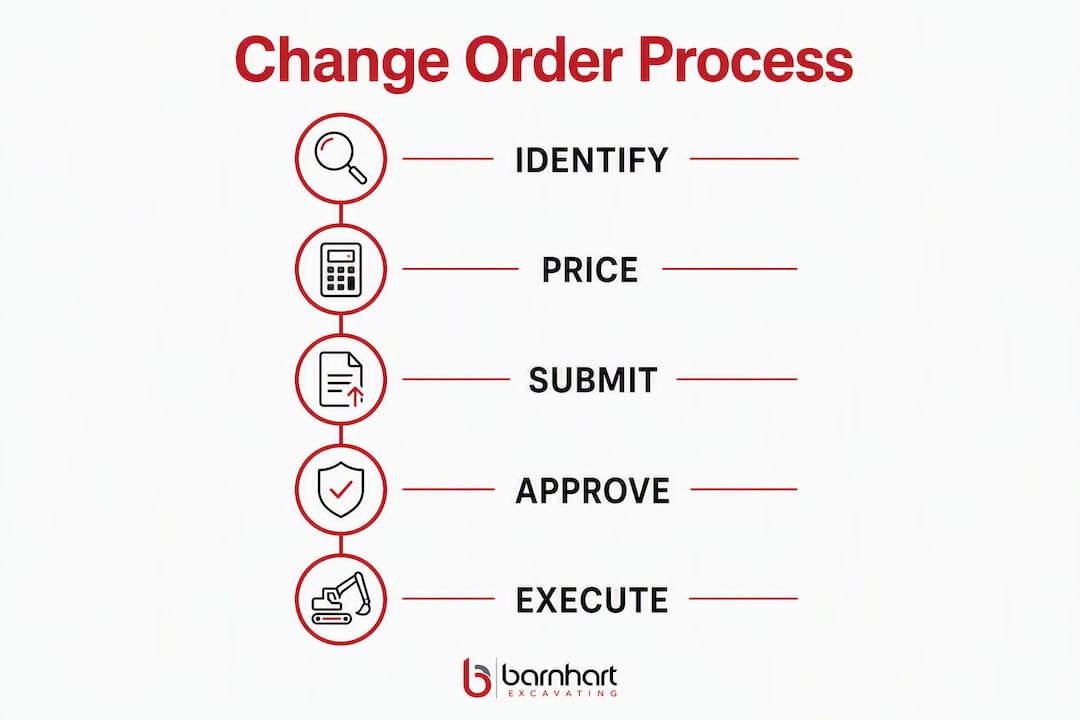
A repeatable workflow is what separates contractors who recover full cost from those who absorb losses. Most construction teams are competent at pricing and submitting COs but weak at the Identify and Close stages. Here’s the full process:
- Stage 4 — Negotiate: — Use contractual language — time-impact clauses, changed conditions provisions, and ODP (Owner-Directed Proceeding) clauses — to anchor your position. Escalate in writing when the owner disputes entitlement.
| Stage | Owner Action Required | Expected SLA | Required Documents |
|---|---|---|---|
| Identify | None | Same day | Field photos, PCO log entry |
| Price | Provide access/info | 3 business days (internal) | Cost build, subcontractor quotes |
| Submit | Acknowledge receipt | 7 days (A/E review) | Full COR package |
| Negotiate | Respond in writing | 14 days (owner approval) | Meeting notes, correspondence |
| Approve and post | Execute CO | Per contract | Signed CO, job-cost update |
How do you price a change order to protect your margin?
Transparent, well-documented pricing is your strongest negotiating position. Owners and architects are far more likely to approve a CO that shows its math clearly than one that arrives as a single lump number.
Line items to include in every CO price build:
-
Direct labor at burdened rates (base wage + payroll taxes + workers’ comp + general liability + benefits)
-
Equipment at hourly or daily rates, using ownership cost or rental invoice
-
Materials at current market price with supplier quotes attached
-
Subcontractor pass-throughs at the subcontract rate plus your contractual markup
-
Extended general conditions when the change affects schedule duration
Burdened labor: The burden on a craft worker’s base wage typically adds a good chunk on top of the base rate when you account for payroll taxes, insurance, and benefits. Always use the actual burdened rate, not the base wage, in your cost build.
Overhead and profit: Combined OH&P on change work if different from contractor to contractor and the right number depends on your contract language and the complexity of the change. Negotiate OH&P percentages into the contract before execution — upstream contract language with pre-negotiated OH&P and clear time-impact clauses materially reduces negotiation friction when COs affect critical-path work.
For inherently unpredictable scopes like demolition or unknown sitework, industry practice supports using allowances or T&M to reduce paperwork and speed authorization. A T&M not-to-exceed cap gives the owner cost certainty while protecting you against scope creep.
What documentation do you need to prove your change order?
Evidence quality determines whether a CO gets approved quickly or disputed for months. Prioritize contemporaneous records — documents created at the time of the event carry far more weight than reconstructed accounts.
High-value evidence, ranked by impact:
-
GPS-tagged, timestamped photos: The single strongest field evidence. Capture before, during, and after conditions.
-
Daily reports: Signed field reports that record crew size, equipment on site, work performed, and any owner or design-team direction received
-
RFIs and responses: The formal record of questions asked and answers given; these establish the decision trail
-
Signed field directives: Written direction from the owner or architect authorizing work to proceed
-
Material invoices and subcontractor quotes: Establish actual cost and market price
-
Meeting minutes and email correspondence: Contemporaneous records of verbal direction or scope discussions
Explicitly cross-reference the originating RFI, ASI, or submittal number in the CO narrative and attach the triggering documents. This preserves causation and reconstructs the decision trail if the owner contests entitlement later.
Pro Tip: Log every verbal direction in a same-day email to the owner or architect: “Confirming your direction today to [describe work]. We will proceed and track costs under PCO [number].” That email is contemporaneous evidence.
What should a change order template and change log look like?
A standardized template and a live change log are the two tools that keep your CO process from becoming a cash-flow liability.
Change order template: required fields
-
CO number and PCO reference number
-
Date of PCO creation and date of formal submission
-
Initiating party (owner, architect, contractor, site condition)
-
Short scope description (one sentence for the log)
-
Full scope detail (narrative with drawing and specification references)
-
Itemized cost lines (labor, equipment, materials, subcontractor, OH&P)
-
Schedule impact (calendar days requested, critical path or non-critical)
-
Supporting documents list
-
Approver signature block with date lines
Change log: recommended column set
| Column | Purpose |
|---|---|
| CO / PCO number | Unique identifier for tracking |
| Initiating party | Owner, A/E, contractor, site condition |
| Short description | One-line scope summary |
| PCO date | Date event was first logged |
| Submission date | Date COR was formally submitted |
| Pending value ($) | Estimated cost before approval |
| Approved value ($) | Executed CO amount |
| Status | Pending / Submitted / Approved / Rejected / Void |
| Assigned reviewer | Owner rep or architect name |
| Expected invoice date | For cash-flow forecasting |
Track pending CO exposure as a risk metric rather than committed revenue. Pending CO exposure as a percentage of contract value is one of the three KPIs worth monitoring on every project, alongside CO approval rate and average days from submission to approval.
What are the best practices for reducing and managing change orders?
Prevention upstream is always cheaper than recovery downstream. Government and agency reports recommend robust project agreements, early stakeholder involvement, and risk allocation to reduce avoidable change orders.
Preconstruction practices:
-
Conduct a formal constructability review with all trade leads before bid
-
Level subcontractor bids to confirm scope coverage and identify gaps
-
Require a trade coordination meeting to resolve interface conflicts before mobilization
-
Flag all specification conflicts and RFIs in the bid documents before execution
Contract practices:
-
Negotiate OH&P percentages and T&M markup rates into the contract before signing
-
Include clear time-impact provisions that entitle the contractor to extended general conditions on critical-path changes
-
Confirm notice clause requirements and calendar them before mobilization
Process controls:
-
Use standardized CO forms on every project — no ad hoc formats
-
Hold weekly CO review meetings with the PM and superintendent to clear the pending log
-
Set written SLAs with the owner’s rep for review and approval turnaround
-
Use centralized tracking systems to improve transparency, reduce disputes, and strengthen project controls
Pro Tip: For predictable unknowns like rock excavation or utility conflicts, negotiate an allowance into the base contract. When the condition occurs, you draw against the allowance rather than submitting a full CO — faster, less friction, and no entitlement argument.
Which software features matter most for CO workflow?
The right tool reduces the time from field event to submitted COR and keeps your change log current without manual re-entry. For mid-size contractors, the priority is mobile capture plus job-cost integration — not the most feature-rich platform.
Key features to evaluate:
-
Mobile photo capture with automatic GPS metadata and timestamp
-
PCO and CO templates with built-in cost-build calculators
-
Change log with real-time status tracking and pending/approved value totals
-
Links from CO records to originating RFIs, drawings, and submittals
-
Permissions and authority controls that enforce the approval matrix
Integration priorities: The most important integration is a live sync to your job-cost or accounting system. When an approved CO posts automatically to job cost, you eliminate manual re-entry errors and keep your cost-to-complete current. Exportable logs in PDF and Excel formats support owner audits and dispute resolution.
Practical tradeoff: Full ERP-integrated platforms offer the deepest reporting but carry higher implementation cost and training time. Lightweight mobile capture tools get crews logging PCOs on day one with minimal setup. For most mid-size contractors, a mid-tier platform with solid mobile capture and a direct accounting sync delivers the best return.
Proving causation and closing claims: what most teams get wrong
The three elements AACE recommends for structuring any change claim are entitlement, causation, and quantum. AACE International guidance emphasizes that proving causation — connecting the change to an owner action or differing condition — is often the most difficult element. Entitlement is usually straightforward if the contract language is clear. Quantum (the dollar amount) is provable with invoices and cost records. Causation is where claims fail.
Practitioner tactics to prove causation:
-
Cross-reference every CO to its originating RFI, ASI, or field directive in the CO narrative
-
Attach the triggering document as an exhibit — don’t just reference it by number
-
Preserve daily reports and meeting minutes that show the sequence of events
-
When a CO affects the critical path, include a time impact analysis and extended general conditions calculation — many contracts entitle the contractor to both a schedule extension and related extended GC costs
Common pitfalls that kill claims:
-
Missing the contract notice deadline (even when the claim is valid, late notice increases waiver risk)
-
Failing to log the date and time of the triggering event
-
Conflating RFI documents with PCO documents in the file
-
Not posting approved COs to job cost, which distorts cost-to-complete and cash-flow forecasts
Pro Tip: Assign one person on each project the explicit responsibility of maintaining the change log and cross-referencing documents. When that task is “everyone’s job,” it becomes no one’s job — and the decision trail disappears.
Key Takeaways
Effective change order management requires capturing scope changes immediately, pricing them transparently, and posting approved COs to job cost before the next pay period closes.
| Point | Details |
|---|---|
| Capture first, document everything | Log date, time, GPS photos, and a PCO entry the same day the event occurs. |
| Link every CO to its source | Cross-reference the originating RFI or ASI in the CO narrative to preserve causation. |
| Price with full burden and OH&P | Include burdened labor, equipment, extended GCs, and a combined OH&P rate. |
| Track three KPIs | Monitor CO approval rate, average days from submission to approval, and pending CO exposure as a percentage of contract value. |
| Post approved COs immediately | Update job cost and the change log the day a CO is executed to keep forecasts accurate. |
The discipline that actually protects your margin
Most contractors focus their change order energy on negotiation. That’s the wrong place. By the time you’re negotiating, the outcome is already largely determined by how well you documented the event on day one.
What we’ve seen consistently on earthwork, utility, and site projects is that the teams who recover full cost on change orders are the ones who treat every scope deviation as a financial event from the moment it surfaces. They don’t wait for the owner to acknowledge the change. They log it, photograph it, tag the originating document, and enter a PCO value in the log before the crew moves on. That discipline, repeated on every project, is what keeps margin intact.
The change log isn’t an administrative burden. On a complex site project with multiple trade interfaces, it’s the document that tells you whether your contract is profitable or not. Pending CO exposure as a percentage of contract value is a real-time risk indicator. When that number climbs without a corresponding approval rate, you have a cash-flow problem forming—and you need to escalate, not wait.
For contractors doing earthwork and utility installation in complex site environments, the highest-risk COs are the ones tied to unforeseen subsurface conditions and utility conflicts. Those are also the hardest to prove after the fact. The answer is contemporaneous documentation: photos before you expose the condition, photos during, and a same-day written notice to the owner. That sequence is what converts a disputed claim into an approved CO.
The single most important habit you can build is this: link every CO to its originating document and keep that link in the log. Everything else in the process flows from that connection.
If your next project involves earthwork or site excavation where scope changes are a real risk, Barnhart Excavating brings generations of field experience and a disciplined approach to documentation and accountability. We work with developers, general contractors, and municipalities across the Tulsa area to keep projects on schedule and on budget.

GET A QUOTE — Contact Barnhart Excavating to discuss your project.
Useful sources and further reading
These references cover the standards, process models, and evidence frameworks that underpin professional change order management in U.S. construction:
-
Understanding Construction Change Orders Report (Volpe): — A U.S. DOT-sponsored analysis of change order drivers and prevention strategies, with recommendations on risk allocation and project agreement structure.
-
Managing Construction Change Orders (Baker Tilly): — A practical guide from a construction advisory firm covering submittal requirements, documentation standards, and the value of third-party review for complex COs.
FAQ
What is change order management in construction?
Change order management is the standardized workflow for capturing, pricing, submitting, negotiating, approving, and posting scope changes to the contract. It protects contractor margin and cash flow by treating every scope deviation as a formal financial event from the moment it occurs.
When must you submit a change order notice?
Notice deadlines vary by contract, but AIA A201 and most standard agreements require written notice within a defined period of the event giving rise to the claim. Missing that deadline increases waiver risk even when the underlying claim is valid.
What is the difference between a PCO and a change order?
A PCO (Potential Change Order) is an internal tracking entry that flags a possible scope change before it is priced or formally submitted. A signed change order is the executed contract modification that legally adjusts the contract price and schedule.
How do you calculate overhead and profit on a change order?
Apply overhead as a percentage of direct costs, then apply profit on top. Combined OH&P on change work runs differently for each contractor and depends on your contracts.
What three KPIs should you track for change orders?
Track CO approval rate, average days from submission to approval, and pending CO exposure as a percentage of contract value. These three metrics tell you whether your process is working and where cash-flow risk is building.